
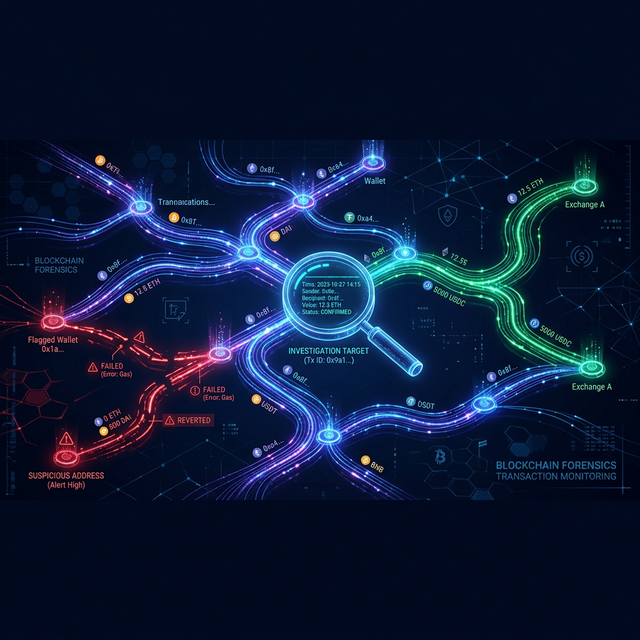
You submitted a swap on Solana. It failed. The error message says something about slippage tolerance exceeded or insufficient funds in the pool. But what actually happened? Who traded before you, how did they move the price, and can you prevent it next time?
This guide walks you through the process of investigating failed trades, understanding on-chain competition, and using the right tools to gain a real edge.
Why Do Trades Fail?
On Solana, a swap transaction interacts with a liquidity pool — a smart contract holding reserves of two (or more) tokens. When you submit a swap, your transaction encodes an expected price based on the pool's state at the moment you signed it. But between signing and execution, other traders can change that state:
- Someone bought the same token before you — the pool's reserves shifted, the price moved up, and your slippage tolerance was exceeded.
- A bot front-ran your transaction — MEV bots detect pending transactions and submit their own first, profiting from the price movement they cause.
- Multiple trades stacked in the same slot — Solana processes transactions within a slot sequentially. If your transaction lands after several others in the same slot, the pool state has already changed.
Understanding which of these happened is the key to improving your strategy.
The Investigation Process
Here's how to trace what went wrong:
- Step 1: Take your failed transaction ID and a nearby successful transaction that interacted with the same pool.
- Step 2: Look at the trades that occurred between them. Each trade changes the pool's token balances (
preTokenBalances→postTokenBalances). By comparing these, you can see exactly how much each trader moved the price. - Step 3: Identify the signers. Are they known bots? Are they the same wallet hitting the pool repeatedly? This tells you whether you're competing against automated MEV extraction or organic traders.
- Step 4: Check the slot leader. The validator who produced the block decides transaction ordering. Knowing their location and infrastructure can reveal latency advantages your competitors have.
Reading Token Balance Changes
Every Solana transaction that interacts with SPL tokens records preTokenBalances and postTokenBalances in its metadata. The delta between them tells you:
- Positive delta on a token — the address received tokens (bought).
- Negative delta on a token — the address sent tokens (sold).
- Pool address with opposite deltas on two tokens — a swap occurred. The pool gave out token A and received token B.
By looking at the pool's balance changes across multiple transactions, you can reconstruct the exact price trajectory and pinpoint the trade that pushed the price past your slippage tolerance.
What You Can Learn from Failed Transactions
Failed transactions are not wasted — they're data. Analyzing them reveals:
- How tight your slippage should be — if competitors consistently move the price by 2-3%, setting 1% slippage guarantees failure.
- Who your competitors are — tracking signer addresses across multiple failed trades shows if the same bots keep front-running you.
- Timing patterns — understanding which slots your transactions land in relative to competitors helps you optimize submission timing.
- Infrastructure gaps — if competitors consistently land transactions 1-2 slots earlier, the issue might be your server location relative to the slot leader.
Our Tools for Trade Investigation
We built two free tools specifically designed for this kind of analysis:
TX Range Explorer
Enter two transaction IDs and instantly see every trade that happened between them on shared liquidity pools. The tool automatically:
- Identifies common pools between both transactions
- Fetches all transactions in the slot range
- Shows token balance changes for each trade (who bought, who sold, how much)
- Displays the signer address with a direct link to Solscan
- Handles large ranges by showing the first and last 50 trades with a clear gap indicator
This is your primary tool for answering: "What happened between my transaction and theirs?"
TX Leader Explorer
Enter any transaction signature or validator address to discover the slot leader's physical location, ISP, and autonomous system. This helps you:
- Understand if latency to the slot leader caused your transaction to land late
- Identify optimal server locations for your bots
- Analyze historical patterns of which validators process your trades
Putting It All Together
Here's a practical workflow for investigating a failed trade:
- Copy your failed transaction ID
- Find a successful transaction on the same pool (from a competitor or from the pool's recent history on Solscan)
- Open TX Range Explorer, paste both IDs, and hit Explore Range
- Study the trades between them — look at pool balance deltas, signer addresses, and timestamps
- Use TX Leader Explorer to check if the slot leader's location gave your competitor a latency advantage
- Adjust your strategy: increase slippage, change server location, use priority fees, or switch to Jito bundles
The difference between consistently profitable trading and constant frustration often comes down to understanding why things failed — not just that they failed. Every failed transaction is a lesson waiting to be decoded.